Listeners, Gates, Executors
Every GDLink behavior is built from three roles wired in a fixed order: a listener notices something, a gate decides whether it counts, and an executor acts. The order never changes — pulses always flow listener → gate → executor — which is what makes a graph readable like a sentence.
Collision(group=Enemy) -> AND -> Variable(hp, subtract, 10)
   listener               gate     executor
Listeners — notice something
A listener watches one source and emits a pulse when its condition is met. There’s one listener per kind of event:
Input — Keyboard, Mouse, Gamepad, UI, XR controllers
World — Collision, Near, Ray, Radar, Area
State & data — Property (a value crossing a threshold), Variable, Signal
Time & flow — Always, Timer, Delay
Listeners speak in pulses, not just “on/off”. A positive pulse fires the moment a condition becomes true; a negative pulse fires the moment it becomes false. Pulses are edge-derived and cleared every tick, so a brick reacts to the transition, not just the steady state — that’s how “on press” differs from “while held”.
Gates — decide whether it counts
A gate is a pure filter. It takes incoming pulses and passes or blocks them — and that’s all it does. A gate never moves a node, writes a variable, or queries the scene; that discipline keeps graphs predictable.
Boolean logic — AND, OR, NAND, NOR, XOR combine several inputs
State routing — the State Gate only passes when the node is in a given state
Keyboard(W) + Ray(Down, grounded) -> AND -> Motion3D(jump)
Here the jump only fires when both inputs pulse — pressing W while grounded. Swap AND for OR and either one triggers it. The gate is where “when should this happen?” gets answered.
Note
Gates are stateless and side-effect-free by design. If you need a decision that depends on a spatial query or on locking something, that logic lives in the executor, not the gate.
Executors — make it happen
An executor performs the actual work. This is the widest category, because it’s everything a game does:
Move & transform — Motion2D/3D, Transform2D/3D, Camera
Presentation — Label, UI Visibility, Sprite, Animation, Light, Material
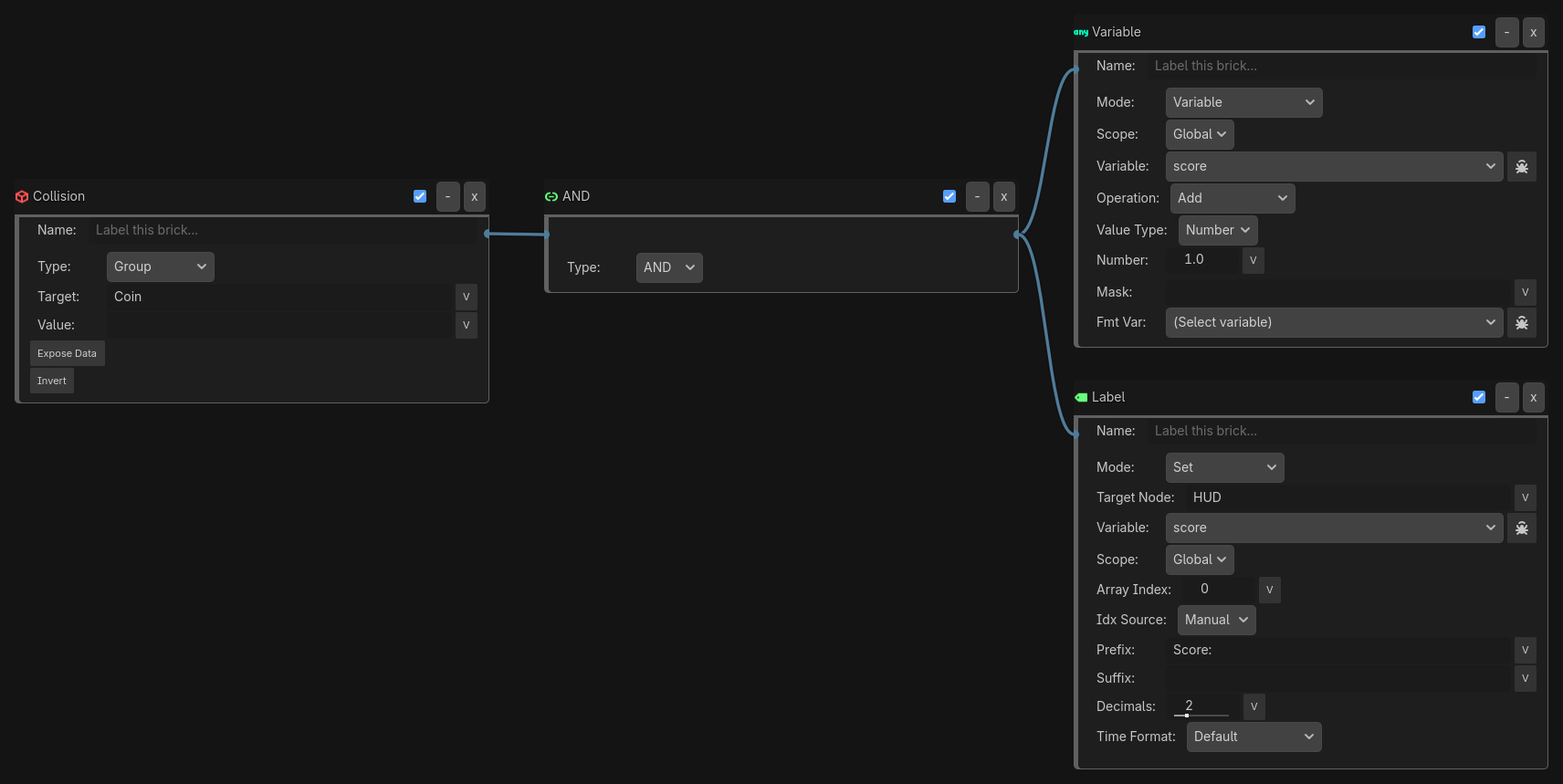
Several executors can hang off one gate, and they all fire when it passes — so a single condition can move a character, decrement health, and update the HUD at once.
Putting it together
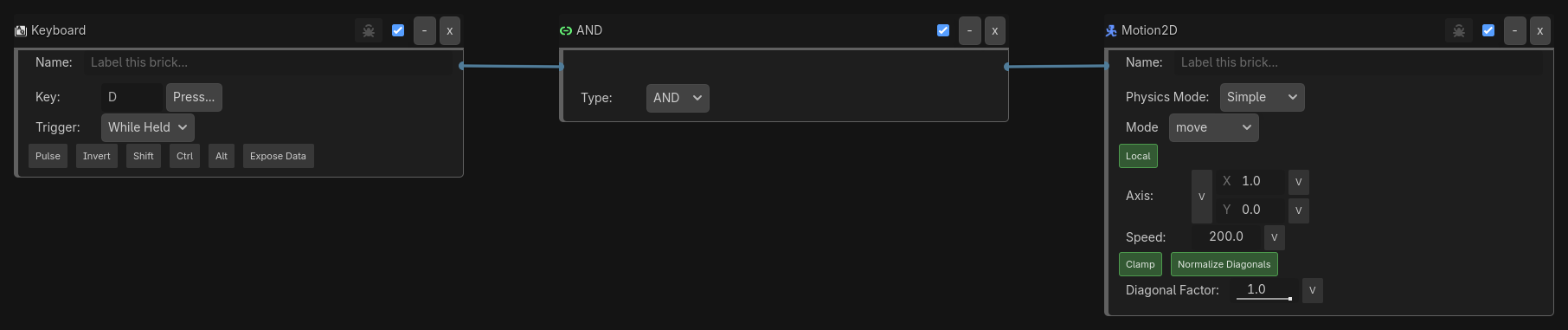
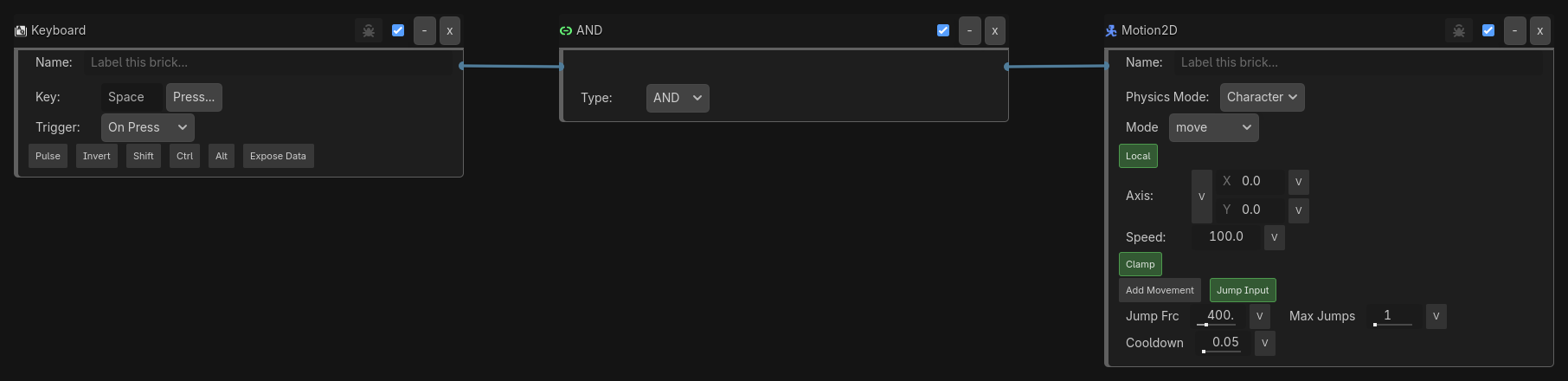
A single condition can drive several executors at once. Each assembly below is one complete behavior — notice → decide → act — shown exactly as it appears in the GDLink editor.
Move — hold a direction key to move the character:
Jump — tap Space to jump:
Collect a coin — one collision both adds to the score and refreshes the HUD label:
Three behaviors, three sentences — every one is just notice → decide → act.