Random
Category: Listener Tier: Basic
Purpose
Triggers randomly based on a probability percentage, useful for creating unpredictable behaviors and variations.
Visual Reference
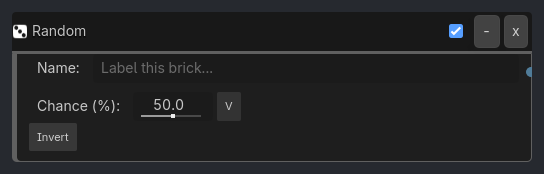
When To Use
Enemy AI variation (50% chance to attack, 50% to defend)
Loot drops (20% chance to drop rare item)
Environmental effects (10% chance for lightning each second)
NPC dialogue (random conversation starters)
Spawn systems (random enemy types)
Particle variations (random colors, sizes, directions)
Idle animations (occasional fidget movements)
Runtime Behavior
Triggers: Each tick, generates a random number and triggers if it falls within the chance threshold
Properties
Property |
Type |
Default |
Notes |
|---|---|---|---|
chance |
float, 50.0 |
Probability of triggering (0-100%) each tick |
|
seed |
int, 0 |
Random seed for reproducibility (0 = use system random) |
|
min_interval |
int, 1 |
Minimum ticks between triggers (prevents rapid spam) |
|
max_interval |
int, 0 |
Maximum ticks between triggers (0 = no limit, ensures trigger eventually) |
Example Use Cases
Random Enemy Behavior:
Sample inspector layout removed for compatibility.
Rare Loot Drop:
Property(enemy_dead, Equal, true) -> AND -> Random(20%) -> Scene(spawn_rare_item)
// 20% chance to drop rare item on death
Occasional Lightning:
Delay(60, repeat=true) -> AND -> Random(10%) -> Sound(thunder) + Material(flash)
// Every second, 10% chance for lightning
Random Idle Animation:
Delay(120, repeat=true) -> AND -> Random(30%) -> Animation(fidget)
// Every 2 seconds, 30% chance to play fidget animation
Random Spawn Type:
Sample inspector layout removed for compatibility.