3D Workflows
3D in GDLink uses the same shape as everything else — a listener notices something, a gate decides whether it counts, an executor makes it happen — but the bricks target Node3D-based content: characters, cameras, vehicles, lights, and physics. Many bricks are shared with 2D; the ones below are the 3D specialists.
Moving characters and objects
Motion3D is the 3D workhorse. It provides character physics with configurable gravity, jump force, fall acceleration, and multi-jump — tuned for platformers, first-person games, and physics-based movement.
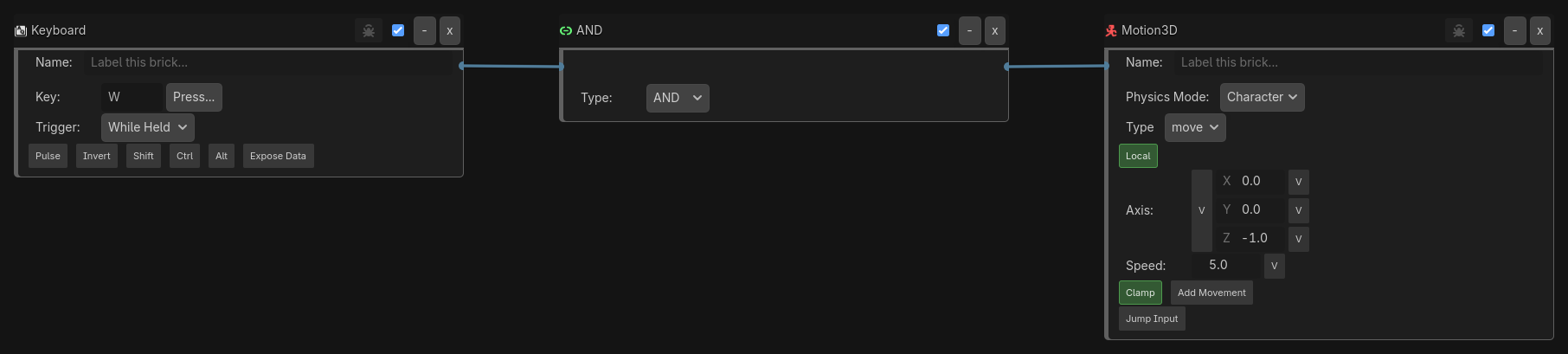
Move — drive a CharacterBody3D forward while a key is held:
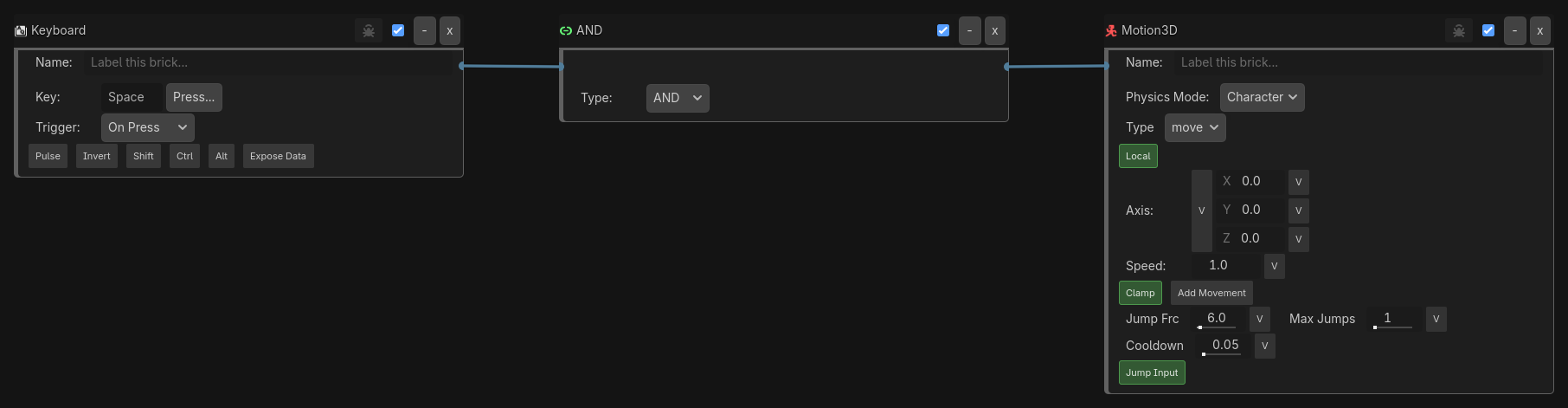
Jump — Motion3D handles gravity, jump force, and multi-jump:
Transform3D manipulates position, rotation, and scale directly — Set for instant changes, Animate for smooth transitions, driving several transform channels from one brick. It is also the canonical way to teleport in 3D (operation = Set, loc_mode = Absolute):
Collision(group=Teleporter) -> AND -> Transform3D(Set, loc=Absolute, target=ExitPad)
Cameras
Camera controls switching, properties, and cinematic moves — cutscene and security cameras, death cams, FOV zoom, hit-feedback shake, and follow cams. Pair it with a listener to drive the cut:
Collision(group=DeathZone) -> AND -> Camera(switch=OverviewCam)
Near(target=Player, range=3) -> AND -> Camera(switch=SecurityCam_2)
Vehicles and spring arms
Vehicle3D is one brick for land, air, and water travel — land mode uses Godot’s VehicleBody3D + VehicleWheel3D stack, air and water use GDLink’s RigidBody3D kernels — so a transforming vehicle stays on one logic surface without swapping scene nodes.
SpringArm3D drives a SpringArm3D node’s collision-aware length, automating third-person “zoom” via variable binding with a native smoothing kernel for catch-up movement.
Lighting and materials
Light is a compact gameplay control surface for Light2D/Light3D — flicker, switch, pulse — a convenience layer, not a full mirror of the Godot inspector. For surfaces, Material targets the common StandardMaterial3D properties, while Advanced Material Shader sets arbitrary ShaderMaterial uniforms by name — terrain blending, scrolling lava/water UVs, time-of-day and weather state.
Timer(every=0.1s) -> AND -> Light(mode=Flicker, energy_range=0.6..1.0)
Sensing the 3D world
3D logic leans on spatial listeners:
Collision — damage, pickups, trigger zones, ground detection, with filtering by name, group, material, or property. Near — a spherical radius for proximity triggers, AI awareness, and interaction range. Ray — a cast in a direction for ground checks, line-of-sight, wall avoidance, and targeting. Radar — a cone-shaped FOV for vision cones and security sweeps. Gravity — reacts to gravity state for zero-G animation and wall-walking.
Ray(direction=Down, length=1.2) -> AND -> Motion3D(set_grounded=true)
Radar(fov=60, range=12, filter=Player) -> AND -> State(add=alerted)
Putting it together — a 3D character
Keyboard(WASD, While Held)   -> AND -> Motion3D(move, Character mode)
Keyboard(Space, On Press)    -> AND -> Motion3D(jump)
Ray(Down, 1.2)               -> AND -> Animation(name=land)
Mouse(delta)                 -> AND -> SpringArm3D(orbit)  -> Camera(follow=Player)
Input drives motion, a downward ray confirms grounding, the mouse orbits a collision-aware spring arm, and the camera follows — every link visible in the graph.
Where to go next
The full Logic Reference for every 3D brick
Core Concepts → States for state-driven 3D animation
The XR guide for headset projects, and Debugging for proving 3D graphs