Particle
Category: Executor Tier: Basic
Purpose
Controls GPUParticles2D and CPUParticles2D emission states for gameplay bursts, lingering effects, and one-shot visual cues.
Visual Reference
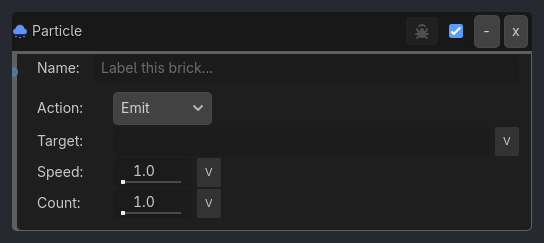
Runtime Behavior
Properties
Action (Enum, “Emit”):
Emit: Enables emission and keeps the particle node running.
Stop: Disables emission.
One-Shot: Restarts the emitter and fires exactly one cycle.
Target Node (String, “”): Optional particle node name or path. If empty, the executor uses the runtime host or the first particle descendant it finds.
Speed Scale (Float, 1.0): Adjusts the particle simulation speed.
Amount Multiplier (Float, 1.0): Scales the emitter amount against its saved base amount.
Verbose (Bool, false): Hidden inspector debug flag. Logs the resolved particle target and the applied action.
Properties
This brick does not expose a generated property table yet. See the source specification for implementation notes.