NOR
Category: Gate Tier: Basic
Purpose
Outputs TRUE when NONE of the connected inputs are active.
Visual Reference
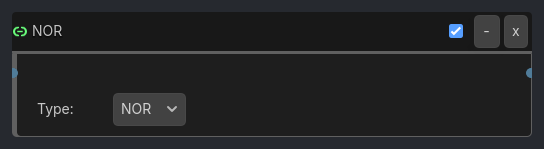
As added to your scene
When To Use
Idle detection (no input from player)
Safe states (no hazards present)
Default behaviors (when nothing else is active)
“None of the above” conditions
Negative conditions (not this, not that, not anything)
Runtime Behavior
Triggers: When ALL connected inputs are FALSE (inverse of OR)
Generated UI Mockup — showing expanded properties
NOR
-
x
Type:
NOR
Properties
Property |
Type |
Default |
Notes |
|---|---|---|---|
Type |
option |
NOR |
Logic gate type - change without reconnecting |
Example Use Cases
Idle Animation:
Sample inspector layout removed for compatibility.
Safe to Proceed:
Sample inspector layout removed for compatibility.
Default Behavior:
Sample inspector layout removed for compatibility.
All Clear Check:
Sample inspector layout removed for compatibility.