Signal
Category: Executor Tier: Basic
Purpose
Emits a Godot signal from the owner or an explicit target node, allowing Logic Bricks to trigger external systems, other scripts, or broadcast events to listeners.
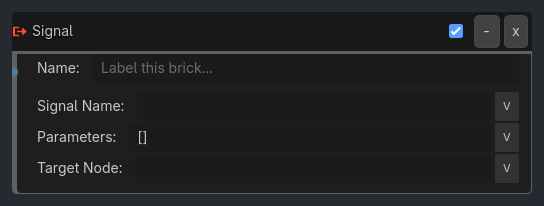
Visual Reference
Runtime Behavior
Inputs
Activate (Pulse): Emits the signal.
Outputs None.
Properties
Signal Name (String, “my_signal”): The name of the signal to emit.
Target Node (String, “”): Optional node path/name to emit from. Empty means the brick owner.
Parameters (String / compatibility-only): Reserved field in the UI. Native runtime currently ignores parameters and emits without arguments.
Execution Behavior
Connect Logic
No connection needed; emits from the owner node by default.
If
target_nodeis set, the executor resolves that node and emits from it instead.
Tick Behavior
When activated:
Check if signal exists on target.
If yes, emit it.
Missing targets or missing signals fail safely as no-ops.
State Changes None.
Examples
Basic Usage
Signal Name:
level_completedResult: Emits “level_completed” so the Game Manager can React.
Advanced Usage
Signal Name:
damage_takenParameters:
[10, "fire"]Result: Emits damage event with amount and type.
Properties
This brick does not expose a generated property table yet. See the source specification for implementation notes.